Written by Anna Zeng, updated by Julie Zelenski
Tired of repeatedly unplugging and replugging your USB-serial adapter to reset your Pi? Read on to learn how to solder a new header that accesses the Pi's processor reset pin. Connect a hardware or software switch to the new header and then resetting your Pi is as simple as flipping the switch. Handy!
New to soldering? Start with this excellent tutorial, written by PhD student Max Holliday from the Stanford EE maker space Lab64.
Solder RUN header
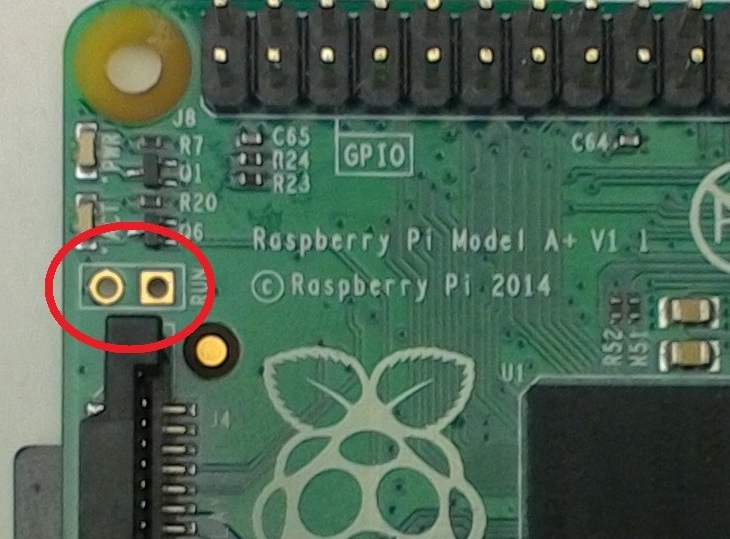
In the photo below, look for the red circle around two contacts labeled RUN. The RUN contact is connected to the reset pin on the processor. Pulling this pin low will reset the Pi.
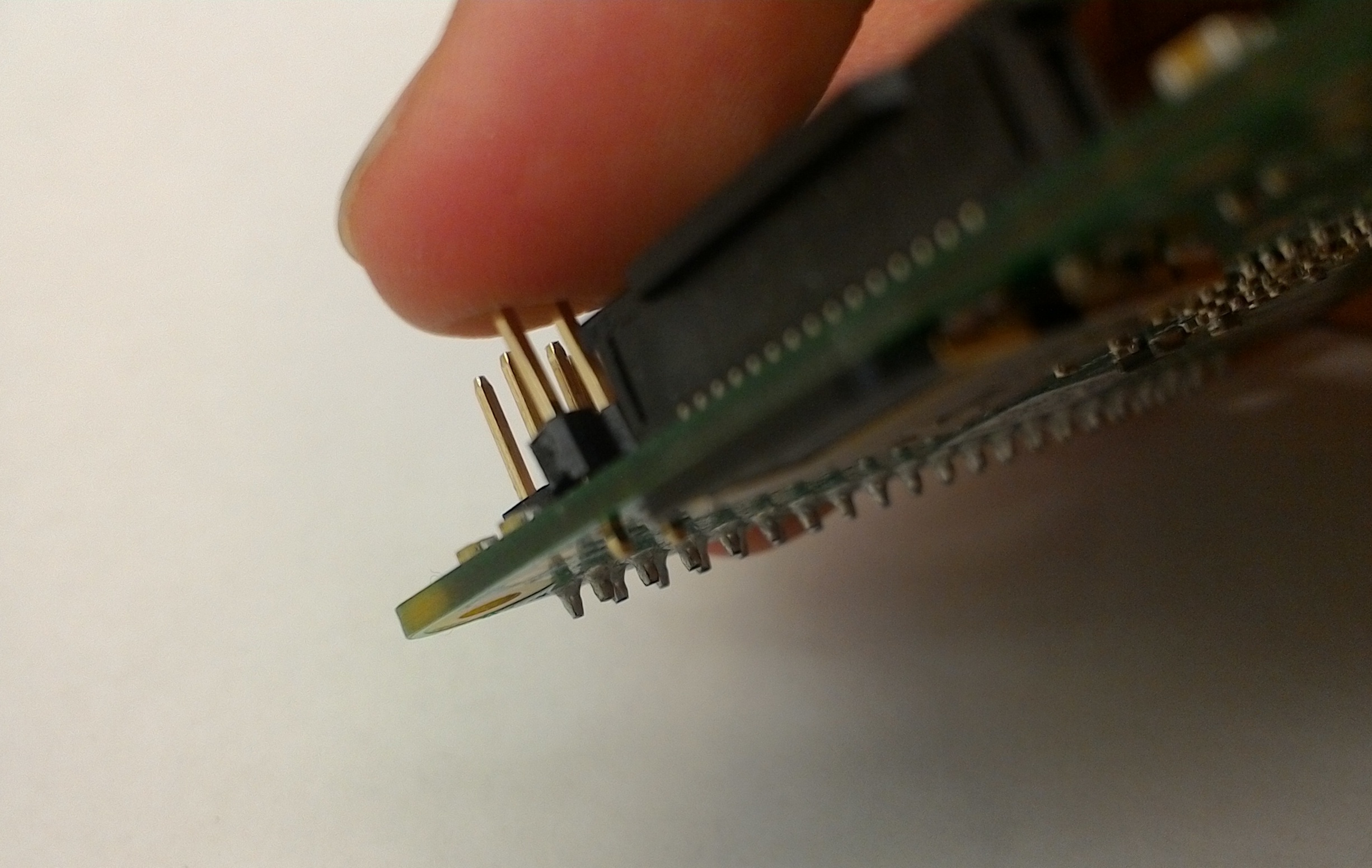
Grab a 2-pin header (available in our lab cabinet) and place onto the RUN contacts as shown below:
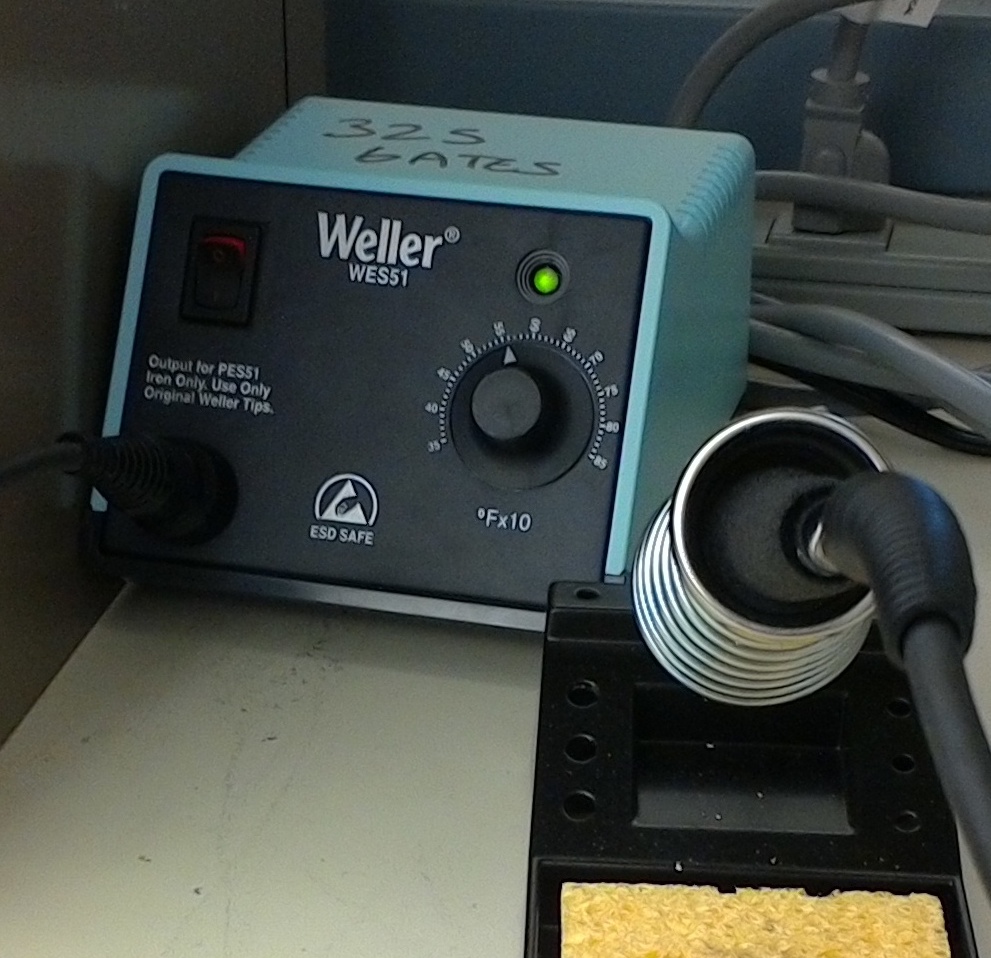
Heat the soldering iron to approximately 600 degrees F (60 on the dial), and wait until the light blinks rapidly.
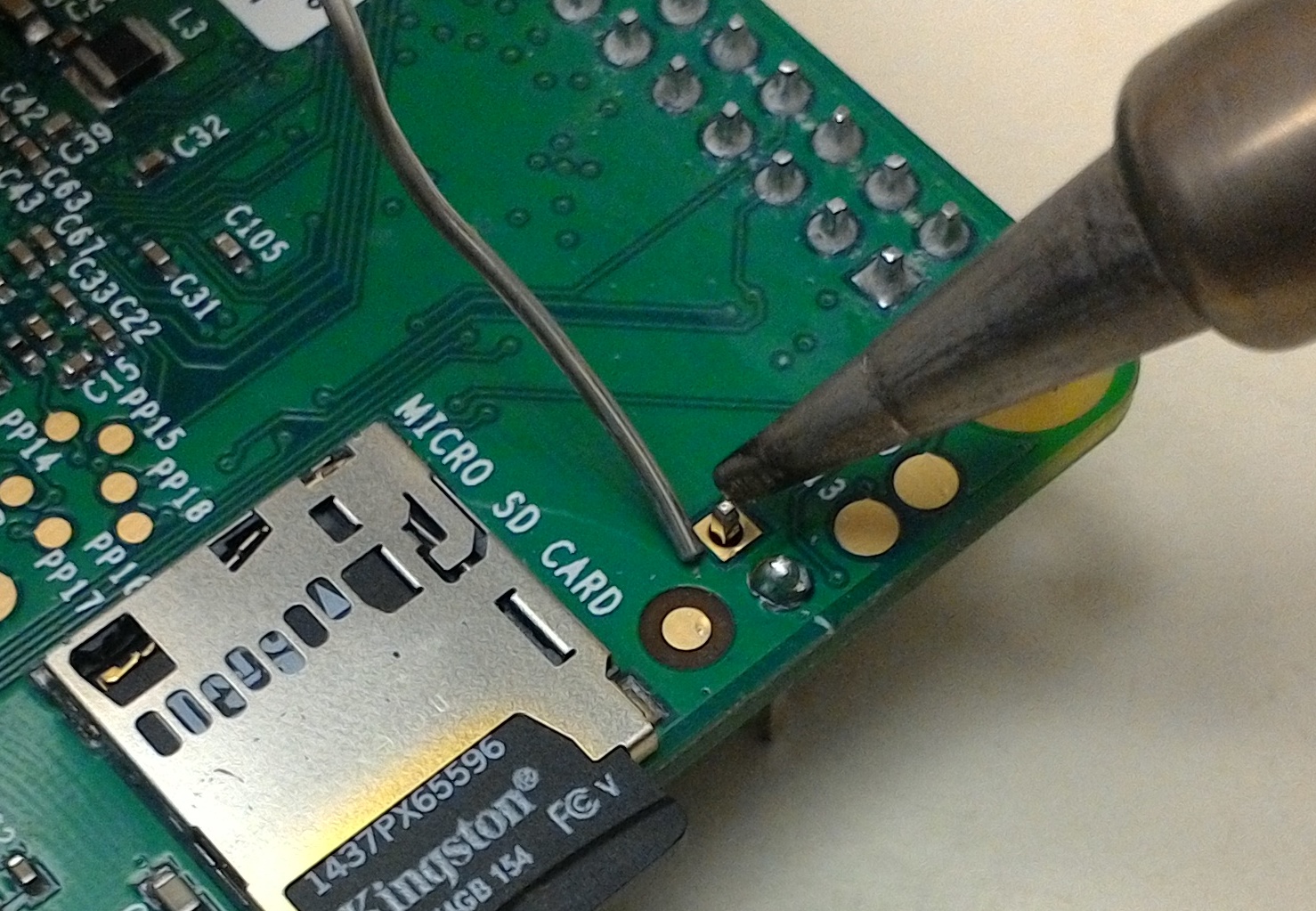
While holding the soldering iron like a pen, touch the solder on one side of the pin and hold the soldering iron on the other side. The iron will heat up the pin and pad and the liquid solder will flow over the joint and forms a little volcano.
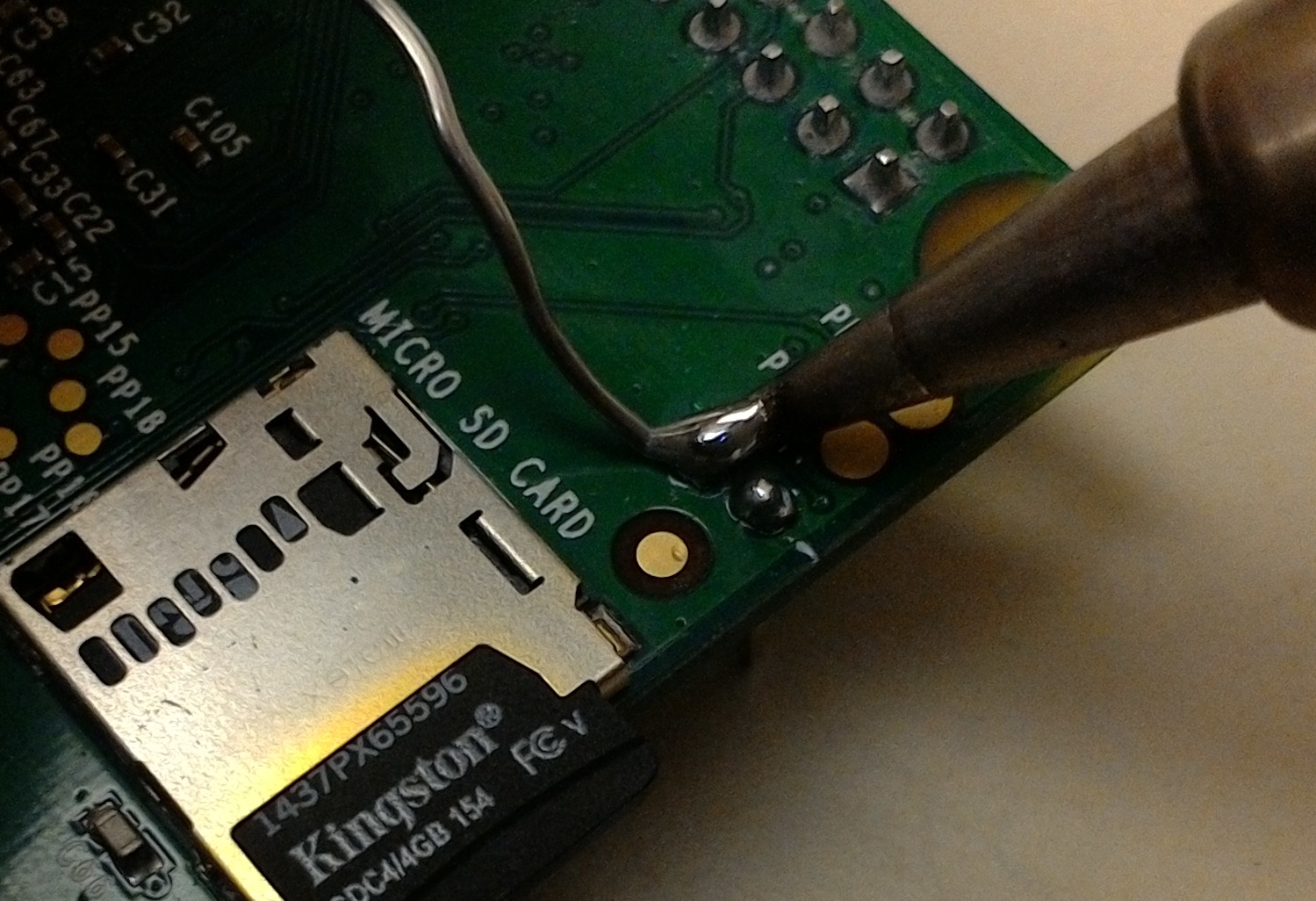
Once the joint is complete, remove the soldering iron and the solder. Repeat for the second pin. The contacts will look sort of like this:
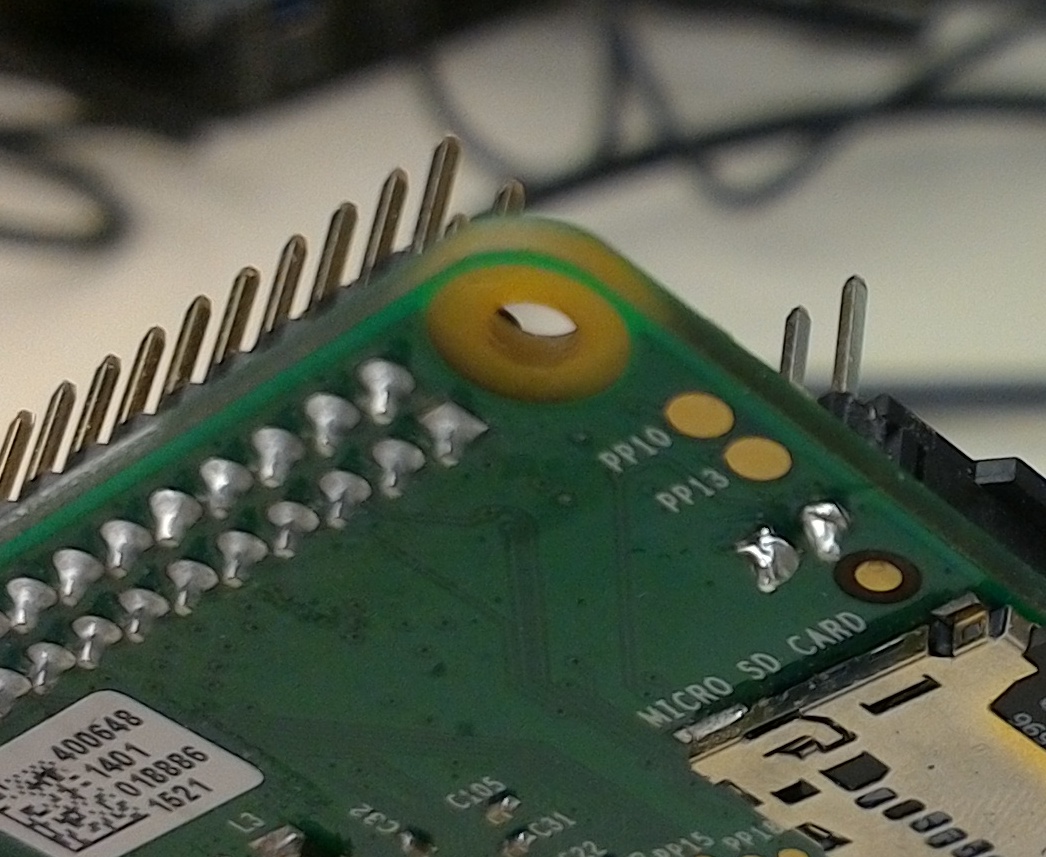
✔️Check
If you temporarily connect the two header pins (such as with a wire or pair of metal tweezers), your Pi should restart. This is a good test to verify your solder connections.
Hardware reset switch
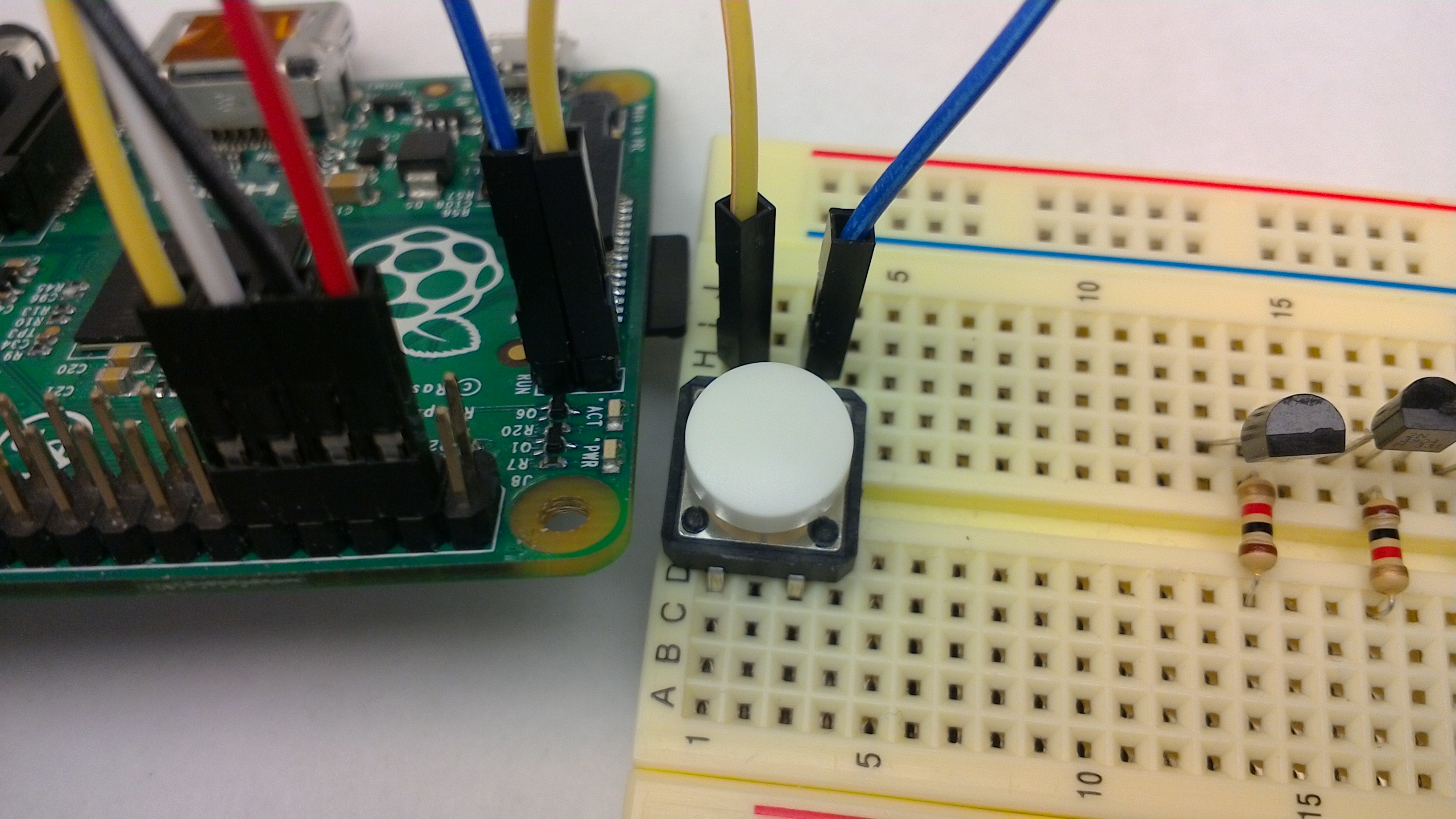
Attach two jumpers to the RUN header and connect the pins through a button. The button will act as hardware reset switch. Simply press the button to reset the Pi. Neat!
Software reset switch
To take it to the next level, make a software-controlled switch by connecting the RUN header to your USB-serial adapter.
Find the pin labeled DTR on your USB-serial. Use a jumper to connect the DTR pin to the RUN pin on your Pi. (We used a white jumper in the photos below.)
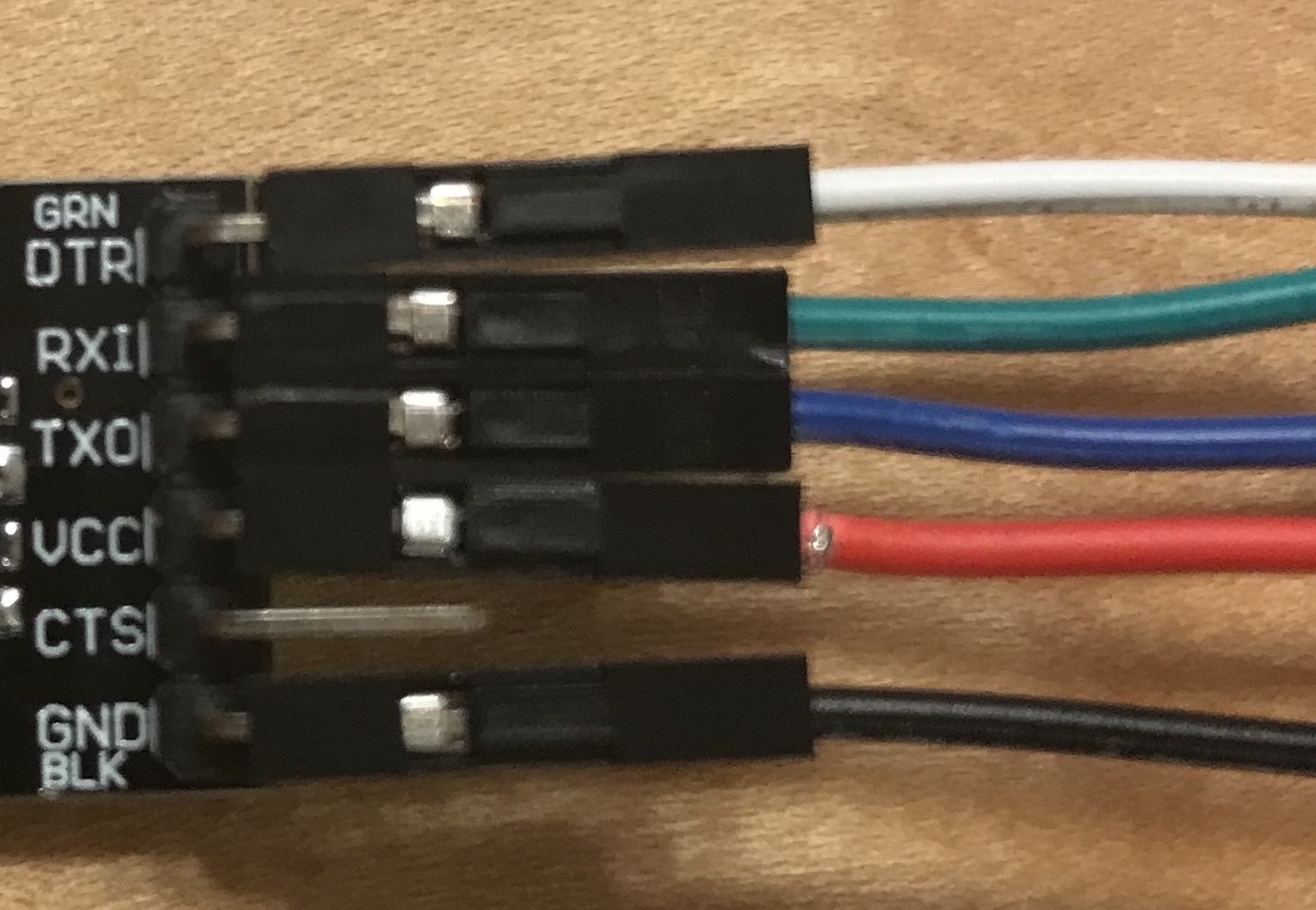
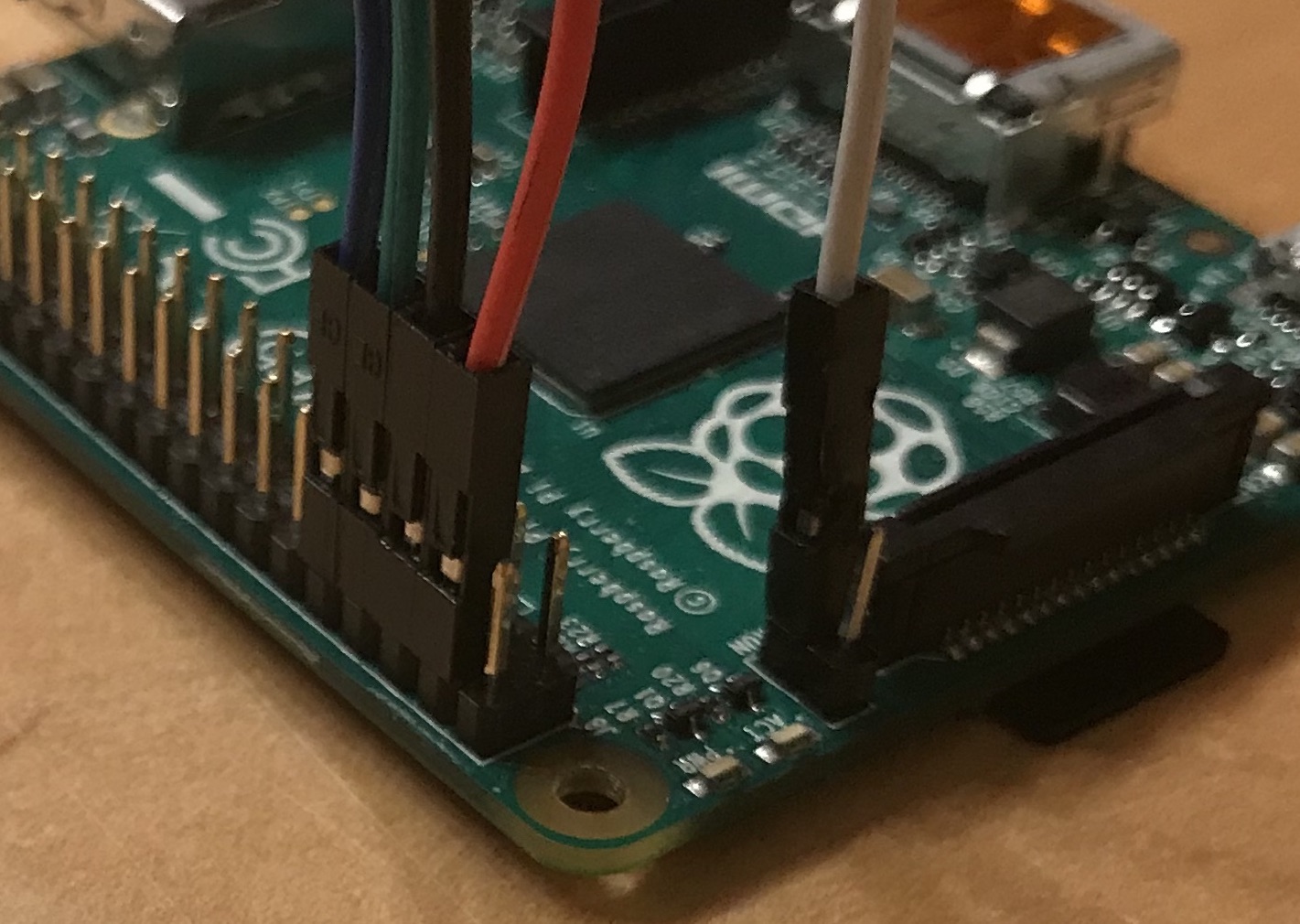
With this connection in place, grounding DTR on the USB-serial will reset the Pi. Our rpi-run.py script grounds DTR as a first step as a convenience for you. If DTR is unconnected, this action has no effect, but now that you have DTR connected to the RUN pin, this will reset the Pi. This automatically restarts the bootloader so it is ready to receive the new program. No more USB plugging and unplugging for you. Welcome to bootloader nirvana!